
Translate, write and understand speech in any Mac app
Follow a call or a lecture in another language. Write to anyone without worrying about mistakes. Dictate instead of typing. It’s one app, and your speech is recognized on your Mac: the audio never leaves it.
Uvinta runs on a Mac. Send yourself this page and open it there.
- Pay once or subscribe
- Speech is recognized on your Mac
- License: 14-day money-back guarantee
For the moments when language gets in the way
A call in a language you only half understand
The interpreter listens in and shows you what’s being said, in your language, sentence by sentence. It can read it out loud, too.
A lecture, a webinar, a video
Follow along in your language while it plays, and keep the transcript if you like.
An email to a client abroad
Write it your way, select it and translate it with one shortcut. Or let the typing assistant fix your grammar right where you’re typing: in Mail, in a chat, in the browser.
Thoughts faster than your fingers
Press a key and talk. The text appears at your cursor, punctuation included, in any app.
See it in action
Four 30-second recordings of the app itself, not mock-ups. Every voice in them is AI-generated. The three features that work in any app are shown in a sample message window.
One app instead of four
A translator, a grammar checker, dictation and a live interpreter usually mean four apps and four subscriptions. Uvinta is all four in one app.
Text translation
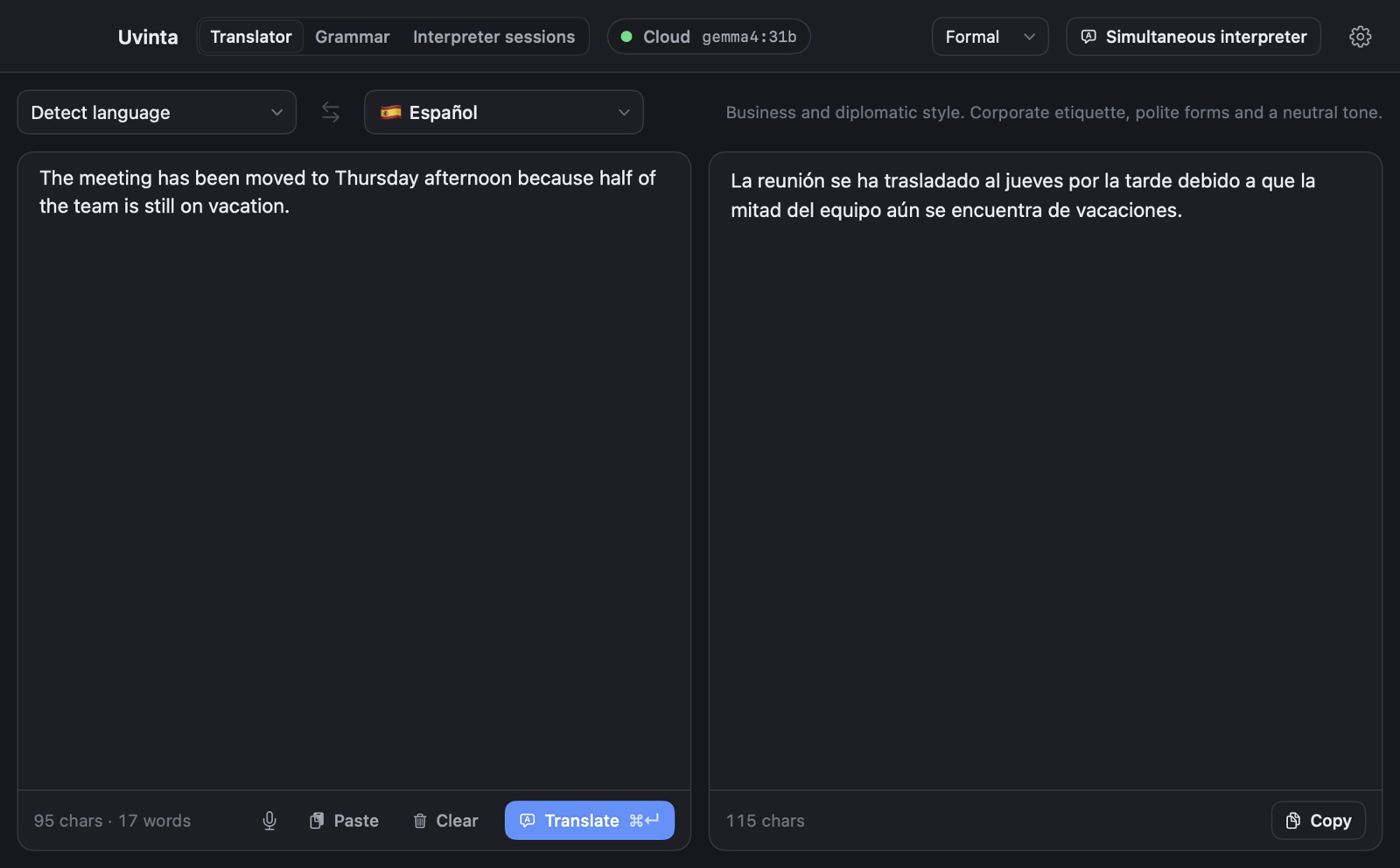
A full translation window with five styles, from casual to formal, plus a small pop-up that translates whatever you’ve selected in any app, with one shortcut.
Grammar and typing assistant
Checks the field you’re typing in and shows the fixes on a small card. It also completes words as you type. Works in any app, on its own or only when you ask.
Voice input
Press a key, talk, press it again, and the text appears at your cursor. Recognition runs on your Mac with Whisper, and there’s no time limit.
Simultaneous interpreter
Listens to a call, a lecture or your microphone and shows the translation sentence by sentence. It can also speak it, in one of ten voices.
Private by design
No telemetry. The trial needs no account, and using Uvinta never does. Speech recognition, the voice and the local models all run on your Mac. With a local model, nothing you translate ever leaves it.
18 languages
Translate, dictate and follow speech in any of the 18 languages listed below. The app’s own interface comes in all 18, too.
All 18 languages
 Bahasa Indonesia
 Čeština
 Deutsch
 English
 Español
 Français
 Italiano
 Nederlands
 Polski
 Português
 Tiếng Việt
 Türkçe
 Русский
 Українська
 العربية (Arabic)
 हिन्दी (Hindi)
 한국어 (Korean)
 日本語 (Japanese)
Pay once, or subscribe
Every plan is for one Mac and includes the local models: with them translation, the grammar check, voice input and the interpreter run on your Mac alone, and your text and speech never leave it. A license is yours for good. A subscription adds an online model with nothing to set up. Try everything free for 14 days first.
License
Pay once, no subscription
- 1 Mac
- Every feature
- Local models: your text and speech stay on your Mac
- A year of updates included
- Security updates for at least two years
- The license never expires
14-day money-back guarantee
Uvinta Cloud
For everyday use
- 1 Mac
- Every feature
- Local models: your text and speech stay on your Mac
- The online model included
- About 10 hours of live interpreting a month
Renews monthly until you cancel
Uvinta Cloud Pro
For heavy use
- 1 Mac
- Every feature
- Local models: your text and speech stay on your Mac
- The online model included
- About 40 hours of live interpreting a month
Renews monthly until you cancel
In the EU, the UK and most other countries the price includes VAT; in the United States and Canada sales tax, where it applies, is added at checkout. Payments are handled by Paddle, the merchant of record. By buying or subscribing you accept the license terms.
A license is refunded within 14 days, whatever the reason. A subscription renews every month at the price shown until you cancel it in your account, and then runs to the end of the paid month. Refunds and the right to withdraw: see the refund policy.
Not sure yet? Try every feature free for 14 days first. No card needed.
Good to know
You choose the model
Translate with a local model that downloads to your Mac (from 1 GB) and works offline. Or subscribe to Uvinta Cloud and use the online model that comes with it.
Models download on first use
The speech recognition model (0.87 GB) and the voice (0.5 GB) download from their publishers the first time you need them. Each file is verified against its checksum.
An AI voice, labeled as one
The interpreter speaks in one of ten preset voices generated by an AI model. It doesn’t clone or imitate anyone’s voice. Every sentence carries an inaudible watermark that marks it as AI-generated, as EU law requires.
Questions and answers
What happens after the 14-day trial?
Translation, the typing assistant, voice input and the interpreter pause until you enter a license key or subscribe. Your settings, downloaded models and saved sessions stay where they are.
Do I have to subscribe?
No. You can pay once, and the license never expires. It includes every update released in the following year. After that, the version you have keeps working, and security updates stay free: we provide them for at least two years after your purchase. A subscription is the other way to use Uvinta: you pay by the month, an online model is included, and you can cancel any time.
What is the monthly allowance of a subscription?
Each plan includes an amount of use of the online model per month: about 10 hours of live interpreting on Uvinta Cloud and about 40 hours on Uvinta Cloud Pro. Translating text and checking grammar draw on the same allowance, far less per use. The app shows how much of it is used. If you use it all, the local models keep working, and the allowance starts again with the next paid month.
How do I cancel a subscription?
In your account on this site. In the app, Settings → Models → Subscription → Manage subscription opens it. The subscription then runs to the end of the paid month and doesn’t renew. The link in Paddle’s receipt works too.
Can I get my money back?
For a license, yes: within 14 days of purchase, for any reason. Ask with the form on the refund page. A subscription you can cancel any time. In the EEA and the UK you can also withdraw from it within 14 days and get back the price of what you didn’t use. See the refund policy.
How is it different from the translation and dictation built into macOS?
The built-in tools are fine for a quick phrase. Uvinta rolls four tools into one and makes them work the same way in every app: a live interpreter with a voice for anything your Mac plays or hears, a typing assistant in any text field, translation in five styles, and your choice of models, including ones that work fully offline. Try both and compare. The trial is free.
Is it hard to set up?
No. Install it, grant the permissions macOS asks for and pick a model. A local model downloads once and needs no account or key. The first time you use speech recognition or the voice, their models download as well (about 1.4 GB in total).
Do I need to pay for a cloud model?
Only if you choose to use one. The local models are free and work offline. With a Uvinta Cloud subscription an online model is included, up to the plan’s monthly allowance.
What data leaves my Mac?
Speech is always recognized on your Mac, so the audio never leaves it. Text goes to an online model only if you subscribe to Uvinta Cloud and use its model: what you translate or check, and the recognized text of the interpreter or of a dictation you have checked. It passes through our server on its way to OpenRouter and the model’s provider, and we don’t store it. With a local model your text and speech don’t leave your Mac. The details are in the privacy policy.
Why does macOS ask for Accessibility and Input Monitoring?
The typing assistant needs them to read the text in the field you’re typing in, show suggestions at the cursor and insert the fixes you accept. It never reads password fields and keeps no record of what you type. The text it checks goes only to the model you chose, and with a local model it stays on your Mac.
Can I record other people with the interpreter?
Saving sessions and recording audio are both off by default. If you turn them on, make sure the people you’re recording have agreed, as the law where you live requires.
Does Uvinta work without the internet?
Yes, with the local models: translation, voice input and the interpreter then run on your Mac. The license needs a connection once, when you activate the key. After that Uvinta works offline for as long as you like, and checks the license once a day whenever it’s online. A subscription is checked once a day too, and offline it works until the end of the paid month.
How many Macs does a license or a subscription cover?
One Mac each. For more Macs, buy a license or a subscription for each of them.
Can I move my license to a new Mac?
Yes. Deactivate Uvinta on the old Mac in Settings → Activation and enter the key on the new one. If the old Mac is gone, you can free its place from the new Mac once in 30 days.
I lost my license key. How do I get it again?
Ask for it on the lost key page: enter the email address of the purchase, and the key is sent to that address again. Or sign in to your account with that address: the key is there, and so are your subscription and your Macs.
Which Macs are supported?
Any Mac with Apple silicon running macOS 14 or later. Local models need at least 8 GB of memory, and 16 GB is more comfortable for the largest one.
Try Uvinta free for 14 days
Every feature. No card, no account. If it isn’t for you, just stop using it.
Already using Uvinta? Tell us what you think